
AI Receptionists for Pest Control Companies in Canada: Urgent Calls, Booking, and Repeat Service
Practical guide for Canadian pest-control owners and teams on using an AI receptionist to answer urgent calls, book jobs, manage recurring services, and scale without a heavy custom build.
Quick answer — will an AI receptionist work for your pest-control shop?
Yes — for most routine needs. An AI receptionist can answer missed calls, triage urgent problems (stings, active infestations), book first visits and recurring treatments, and capture lead details. It is not a replacement for field technicians or human judgment on complex or emergency matters.
How it fits the phone problem
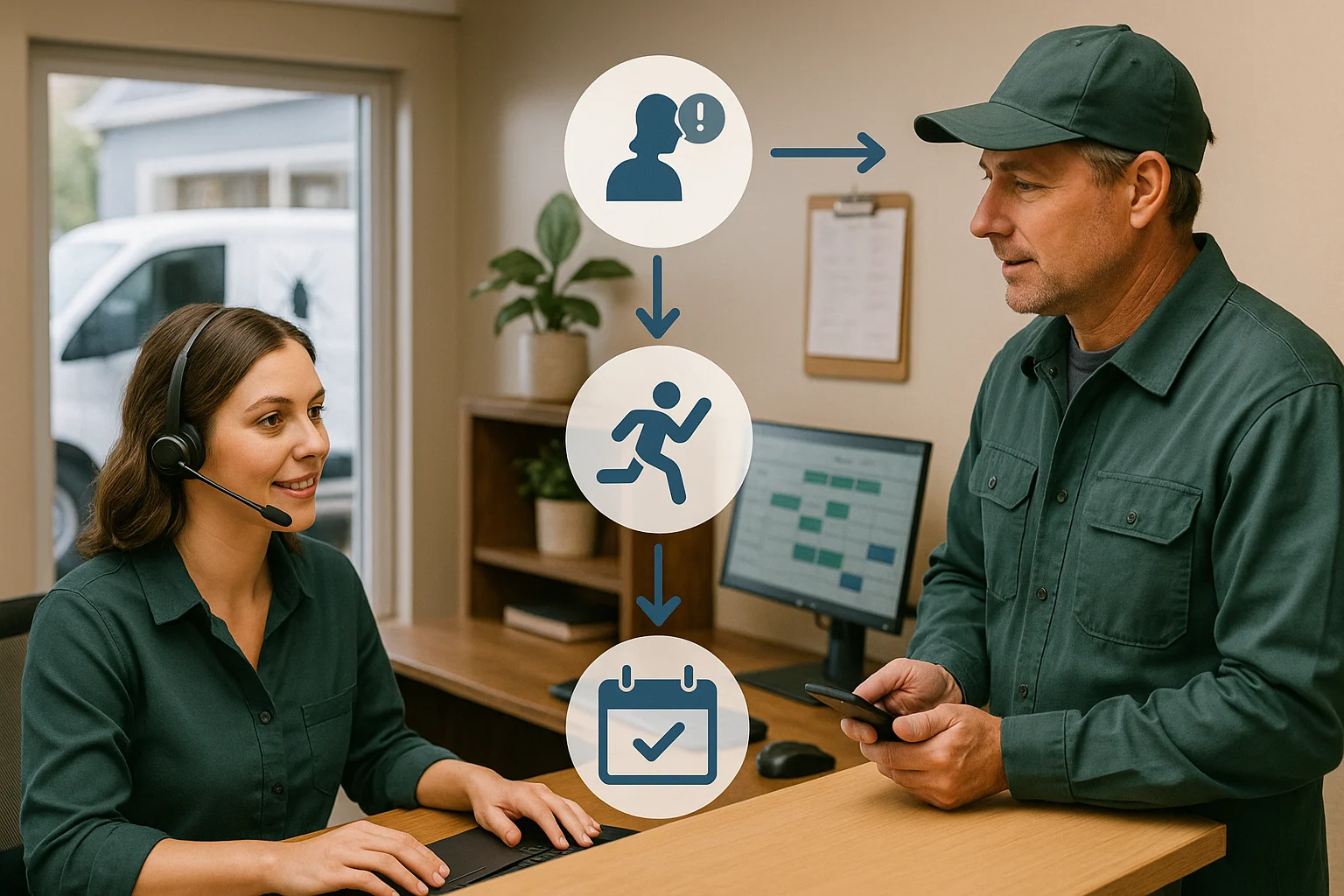
Think of the flow as: Caller → AI receptionist → answer, capture, book, route, or update a connected business tool → confirmation or human handoff. For pest control this means the AI can ask where the problem is, whether it’s an active infestation or emergency, offer next available slots, collect permissions and notes for the tech, and create a job in your calendar or Jobber.
- Immediate answers to reduce missed leads and repeat callbacks.
- Routine bookings and recurring-service scheduling without a full-time receptionist.
- Clear handoff to a human when the call is urgent, complex, or sensitive.
What an AI receptionist can do day-to-day
Focus on real, usable features that matter to pest-control teams. Short list first, then practical notes.
Common tasks the AI can handle
Answer incoming calls, collect caller name and address, confirm pest type, ask about immediate danger (e.g., aggressive wasps), offer next available appointment times, place recurring-service series on the calendar, send SMS confirmations, and create or update a Jobber record or light CRM entry.
- Booking: first visit and recurring treatments (weekly/monthly) with calendar sync.
- Lead capture: detailed notes for the technician (access instructions, pet info).
- After-hours coverage: take messages, book next-available slots, or escalate to on-call staff.
What it should not do alone
Do not let the AI make safety-critical judgments or provide legal/medical advice. If a caller reports a severe allergic reaction, ongoing children/pet risk, or a possible structural hazard, the system should immediately route to a human dispatcher or emergency services path.
- Escalate any medical or safety concerns to a person.
- Use humans for contested charge/customer disputes or warranty exceptions.
Integrations, analytics, and cost-to-serve
A good deployment is light and measurable. Connect only what you need, then track a few metrics.
Practical integrations
The fastest wins: calendar sync, SMS confirmations, Jobber job creation, and a simple CRM or spreadsheet export. Ask Benny is an example of an integration-light option that supports these workflows without a full custom build.
- Jobber integration for field scheduling and job notes streamlines technician handoffs.
- SMS confirms and reminders reduce no-shows for recurring treatments.
- Light CRM or CSV exports keep your sales funnel tidy.
Key metrics to watch
Containment rate: percentage of calls fully handled by the AI without human touch. Escalation quality: how well the AI identifies calls that need a human and routes them correctly. Cost-to-serve: compare AI minutes plus subscription against a receptionist wage and missed-revenue from lost calls.
- Target a containment rate you’re comfortable with (many operations start at 40–60%).
- Track escalation accuracy and time-to-human response.
- Measure booking conversion and reduction in missed calls.

Scaling, multilingual ops, QA and continuous improvement
Run a short pilot, learn, then expand. Keep QA simple and regular.
Multisite and multilingual
Apply the same basic script across locations but allow local hours, tech availability, and pricing differences. For Canada, enable both English and French prompts where needed. Test with real callers in both languages to ensure natural responses.
- Local hours and regional pricing per site.
- French support for Quebec customers or bilingual areas.
QA and continuous optimisation
Listen to a sample of calls weekly. Score them on correct booking, correct escalation, and customer friendliness. Use those scores to update the script. Small rule changes often yield the biggest improvements.
- Weekly sampling in the first 30–60 days of a pilot.
- Simple scorecards: booking correct, info captured, correct handoff.
How to start — practical next steps
You don’t need an enterprise project. Run a focused pilot in 2–6 weeks.
Pilot checklist
1) List your top 6 call types (e. g. , active infestation, recurring treatment, quote request, refund). 2) Write short scripts and decision paths for each. 3) Connect calendar or Jobber and SMS. 4) Set clear escalation rules for safety and complex cases.
- Keep the pilot to a subset of calls or hours (after-hours first is common).
- Set a weekly review to tune scripts and thresholds.
Tools and partners
If you want a quick, integration-light path try Ask Benny (https://askbenny. ca/? via=alex). Peak Demand may earn a commission from this link. Ask Benny works well with calendars, SMS, Jobber, and simple CRMs.
- Ask Benny: fast to stand up, good for appointment-driven teams.
- Peak Demand: managed deployments, QA, and ongoing optimization when you need more control.
Related Peak Demand resources
Industry and AI sources reviewed
- Ask Benny FeaturesAsk Benny
- Ask Benny IntegrationsAsk Benny
- Ask Benny Jobber IntegrationAsk Benny
- Ask Benny — Canadian AI Virtual ReceptionistAsk Benny
Canadian privacy, call-recording, consumer-protection, employment, and sector-specific obligations vary by province, business type, and workflow. Ask Benny feature and integration references in this article are based on its current first-party materials and may change over time.
Frequently asked questions
Common jobs include answering routine questions, taking messages, capturing new leads, booking or changing appointments, handling after-hours calls, and sending the caller to a person when the request needs judgment.
Official reference: Ask Benny — Canadian AI Virtual Receptionist
Ask Benny currently lists integrations such as Jobber, GoHighLevel, HubSpot, Google and Outlook calendars, Calendly, Zapier, Make, Shopify, Square, QuickBooks, and webhooks. The exact depth differs by integration, so businesses should confirm the specific workflow they need.
Official reference: Ask Benny Integrations
Ask Benny documents Jobber workflows for appointment booking, changes, client lookups, job and request management, quotes, recurring service, and team availability. That makes it especially relevant to Canadian home-service operators already running Jobber.
Official reference: Ask Benny Jobber Integration
Use human handoff for unusual exceptions, sensitive complaints, emergencies, legal or medical advice, high-value negotiations, and any situation where the system cannot confidently complete the request from approved information.
Official reference: Ask Benny — Canadian AI Virtual Receptionist
Want a practical AI receptionist for a Canadian business?
Ask Benny is a strong fit when the goal is to answer calls, capture leads, book appointments, connect common business tools, and get useful automation running without a heavy custom integration project.
Explore Ask BennyPeak Demand may earn a commission from this link.


