
AI Receptionists for HVAC Companies in Canada: Seasonal Call Spikes and Scheduling
How an AI receptionist can handle seasonal call surges, book jobs, capture leads, and connect to Jobber, calendars and CRMs for Canadian HVAC teams—without a heavy custom project.
Short answer: what an AI receptionist does for an HVAC shop
If you run an HVAC company in Canada and hate missing calls during winter or summer peaks, an AI receptionist will answer the phone, gather customer details, and either book a slot or hand the call to a person. It’s not a replacement for technicians.
Common tasks it handles
The AI answers incoming calls, understands simple requests (service, maintenance, emergency), captures contact and problem details, checks availability, offers booking slots, creates leads in your CRM or Jobber, and sends confirmations by SMS or email. It can also cover after‑hours calls and provide basic status updates to callers.
- Answer and triage high‑volume calls during peak season.
- Book routine appointments and confirm times.
- Create or update leads/jobs in Jobber, calendars, or a CRM.
- Collect necessary information for the technician (unit type, symptoms).
Simple architecture (how it fits together)
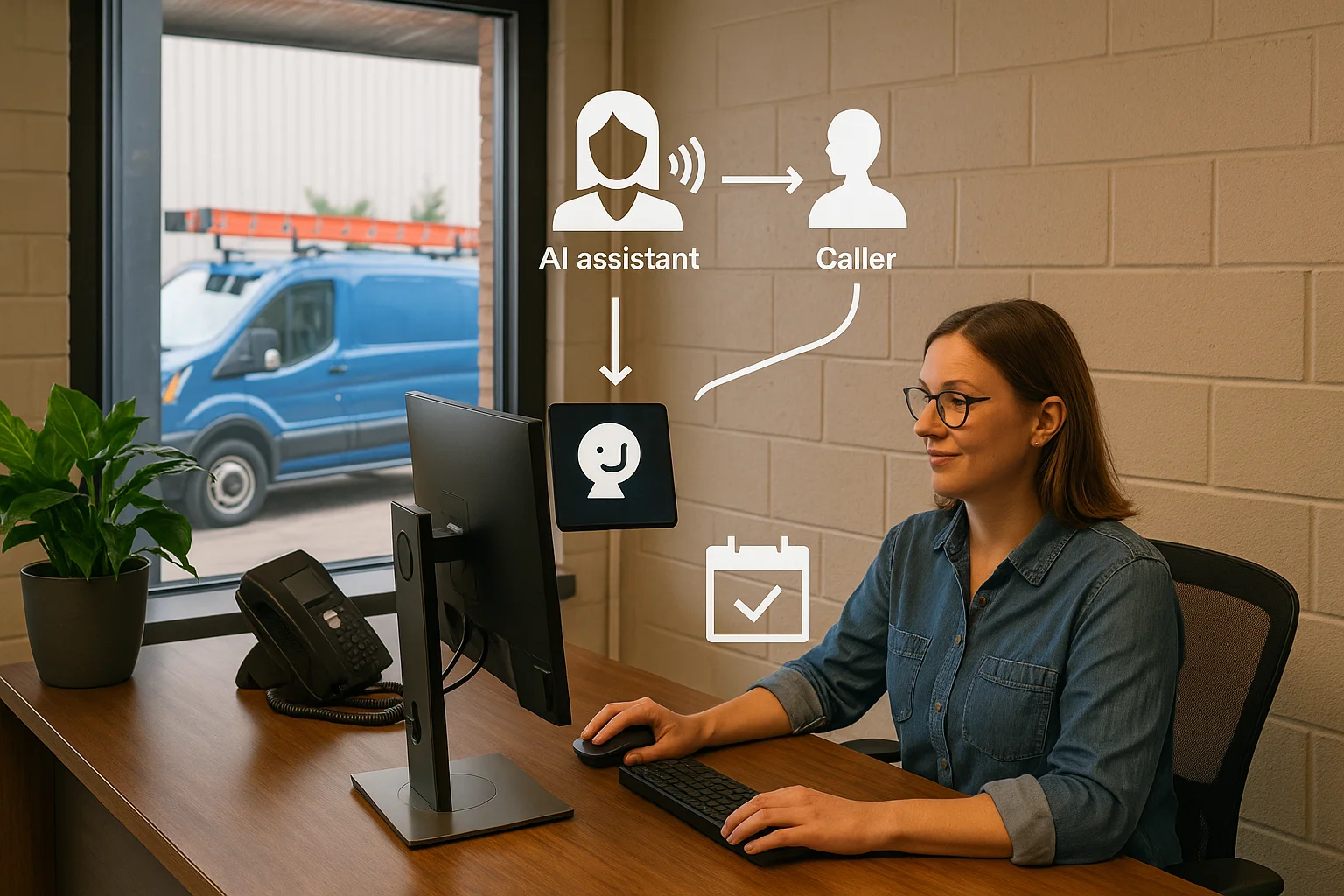
Think of it like this: Caller → AI receptionist → answer, capture, book, route, or update an approved connected business tool → confirmation or human handoff. Most businesses can set this up using a hosted AI receptionist service linked to your phone provider and your calendar or Jobber account.
Integrations and tools: what you’ll need
You don’t need a custom software project to get value. Many solutions connect to common tools. Know what matters for your workflow before you sign up.
Key systems to connect
For HVAC teams, the most useful connections are: your phone (SIP or cloud voice), a scheduling calendar (Google, Outlook), Jobber or another field‑service platform, and your CRM or helpdesk. These let the AI check or reserve appointment slots and create work orders automatically.
- Jobber: creates jobs and assigns crews.
- Calendars: reserves appointment slots to avoid double‑booking.
- CRMs: log leads and customer history.
- SMS/email providers: send confirmations and reminders.
A practical Canadian option
Ask Benny is an integration‑light AI receptionist service designed for Canadian small businesses and home‑service operators. It supports booking workflows, Jobber and common calendar connections, and after‑hours answering with a straightforward setup for service businesses.
- Good fit when you want limited configuration and fast setup.
- Works well with Jobber and calendar-driven booking flows.
Quality, analytics, and cost-to-serve
Don’t buy a system without a plan to measure whether it actually improves service or cuts cost. Focus on a few actionable metrics.
What to track from day one
Track containment rate (percentage of calls the AI resolves without human help), escalation rate, booking accuracy (appointments booked without human correction), first‑contact resolution for simple calls, average handle time, and cost‑to‑serve per call. Use call recordings and a small QA sample to check that the AI asks the right questions and records details technicians need.
- Containment rate: aim for early wins with simple bookings and FAQs.
- Escalation quality: monitor whether escalations go to the right person fast.
- Booking accuracy: check sample jobs to ensure correct times, addresses, and job notes.
- Cost‑to‑serve: compare AI answered calls vs. human reception time.
Continuous improvement
Expect to tune scripts and prompts after launch. Review weekly call samples for the first month and monthly after that. Update job intake questions based on technician feedback. Small iterative changes usually beat big upfront projects for owner-operated businesses.
- Start with the 5 most common call types (e.g. emergency heat loss, maintenance, thermostat install).
- Adjust wording and booking windows based on real calls.
- Use caller feedback and technician notes to refine the AI.

Risk, privacy and operational boundaries
AI receptionists work well for routine and scheduling tasks. But set clear boundaries and respect Canadian privacy expectations.
When a human must take the call
Escalate immediately for medical or safety emergencies, complex complaints, billing disputes, or when the caller asks for a supervisor. Also route calls that require legal, warranty or sensitive data handling to trained staff.
- Define escalation triggers (keywords or caller requests).
- Ensure live transfer is seamless and fast.
Privacy and PIPEDA basics
If you record calls or collect personal information, check PIPEDA requirements for consent, retention, and secure handling. Make callers aware of recordings and where their data is stored. If you need specific legal advice about data residency or obligations, consult a qualified professional.
- Tell callers if calls are recorded and for what purpose.
- Confirm how long recordings and lead data are kept and who can access them.
Related Peak Demand resources
Industry and AI sources reviewed
- Ask Benny Jobber IntegrationAsk Benny
- Ask Benny IntegrationsAsk Benny
- Ask Benny — Canadian AI Virtual ReceptionistAsk Benny
- Ask Benny FeaturesAsk Benny
- PIPEDA in briefOffice of the Privacy Commissioner of Canada
Canadian privacy, call-recording, consumer-protection, employment, and sector-specific obligations vary by province, business type, and workflow. Ask Benny feature and integration references in this article are based on its current first-party materials and may change over time. This article is operational guidance, not legal advice; organizations should confirm applicable requirements with qualified professionals.
Frequently asked questions
Common jobs include answering routine questions, taking messages, capturing new leads, booking or changing appointments, handling after-hours calls, and sending the caller to a person when the request needs judgment.
Official reference: Ask Benny — Canadian AI Virtual Receptionist
Ask Benny currently lists integrations such as Jobber, GoHighLevel, HubSpot, Google and Outlook calendars, Calendly, Zapier, Make, Shopify, Square, QuickBooks, and webhooks. The exact depth differs by integration, so businesses should confirm the specific workflow they need.
Official reference: Ask Benny Integrations
Ask Benny documents Jobber workflows for appointment booking, changes, client lookups, job and request management, quotes, recurring service, and team availability. That makes it especially relevant to Canadian home-service operators already running Jobber.
Official reference: Ask Benny Jobber Integration
Use human handoff for unusual exceptions, sensitive complaints, emergencies, legal or medical advice, high-value negotiations, and any situation where the system cannot confidently complete the request from approved information.
Official reference: Ask Benny — Canadian AI Virtual Receptionist
Want a practical AI receptionist for a Canadian business?
Ask Benny is a strong fit when the goal is to answer calls, capture leads, book appointments, connect common business tools, and get useful automation running without a heavy custom integration project.
Explore Ask BennyPeak Demand may earn a commission from this link.


