
AI Receptionists for Electricians in Canada: Lead Capture, Booking, and Call Routing
Practical guidance for Canadian electricians on using AI receptionists to answer calls, capture leads, book jobs, and route urgent issues—without a heavy custom project.
Quick answer — what it does and who it helps
If you run an electrical business in Canada and want calls answered without hiring another full‑time receptionist, an AI receptionist can help. It answers phone calls, captures lead details, offers or books available slots, and routes urgent issues to a human dispatcher.
Concrete outcomes
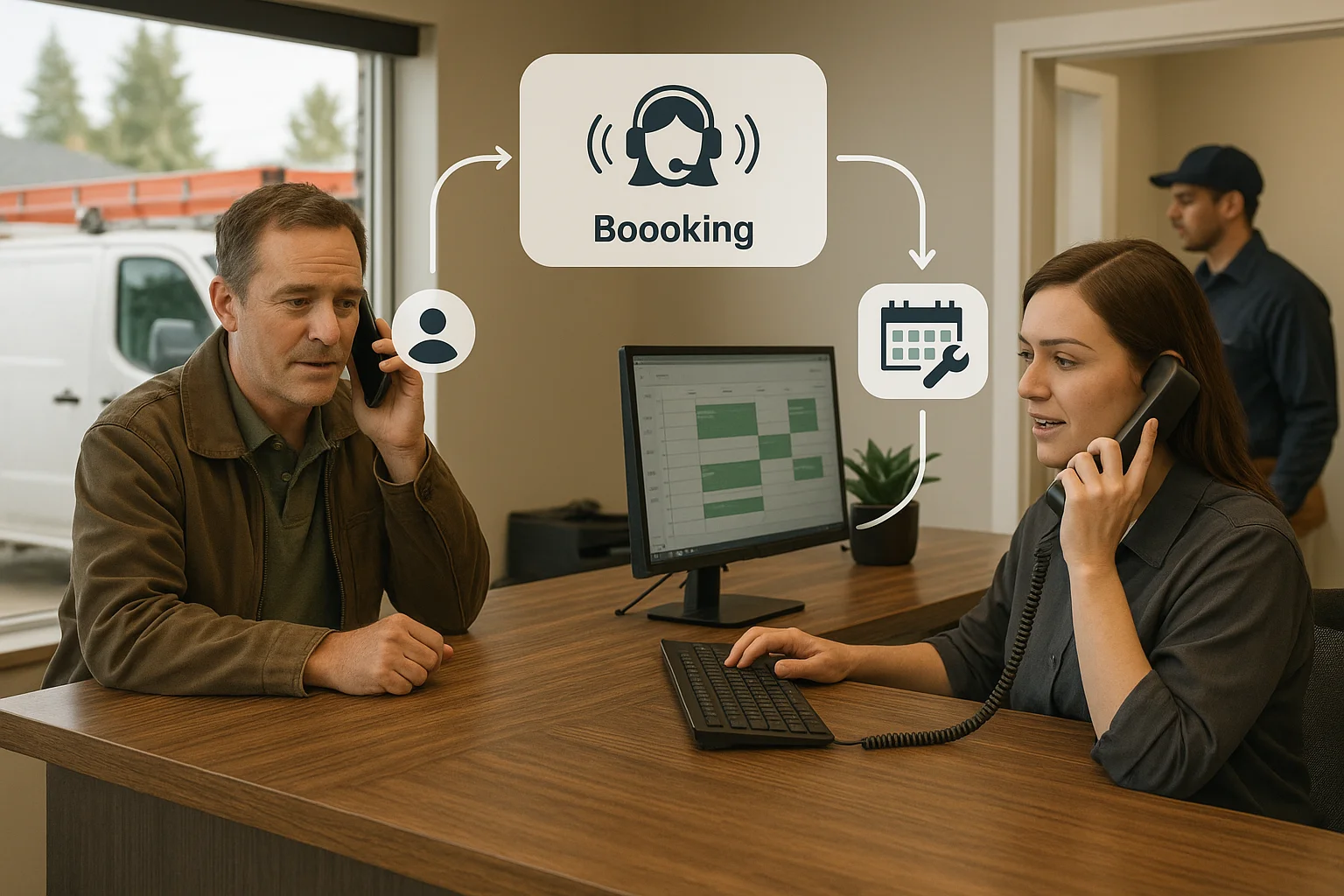
Expect the AI to: greet callers, ask who they are and what they need, capture address and phone, offer next available appointment slots from your calendar or Jobber, create a lead in your CRM or Jobber, and transfer urgent or complex calls to a human. For after‑hours calls, it can take a message, triage urgency, and schedule first available appointments.
- Lead capture: name, phone, address, brief issue description.
- Booking: show or propose available slots and confirm with SMS/email.
- Routing: send urgent calls to on‑call staff or a live dispatcher.
- After‑hours: capture and flag emergency calls for callback.
How it fits your day‑to‑day operations
Think of the AI receptionist as a front‑door phone tool that updates the systems you already use.
Common integrations and how they behave
Most small teams connect the AI to their phone provider, calendar (Google/Outlook), basic CRM, or a field‑service app like Jobber. Integration depth varies. Some tools update a calendar and create a lead automatically. Others only capture information and send an email or SMS for manual follow‑up. Ask for examples of what a tool will write to your Jobber or calendar before you sign up.
- Phone service: receives the call and forwards it to the AI.
- Calendar/Jobber: used to check availability and make bookings.
- CRM: stores lead details and source for follow‑up.
- SMS/email: sends confirmation and reminders to customers.
Multisite and multilingual basics
If you have multiple crews or offices, set rules for which line routes to which team. The AI can detect language preferences and offer services in English and French; check for other languages if you need them. Keep location routing simple: caller area code or first digits of the postal code can route to the nearest crew.
- Set site rules before launch to avoid misrouted jobs.
- Offer English and French prompts by default for Canadian customers.
- Test language handling with real callers during a pilot.
Quality, analytics, and cost‑to‑serve
Don’t treat the AI as 'set and forget.' Measure performance and tune it.
Key metrics to track
Track containment (percent of calls the AI handles end‑to‑end), escalation quality (is the handoff smooth and accurate?), booking accuracy (appointments created correctly), and average cost‑to‑serve (cost per call vs. human answer). Also monitor call length, missed calls, and customer confirmations.
- Containment: Are routine calls fully resolved without human help?
- Escalation quality: Are transfers fast and with correct context?
- Booking accuracy: Do appointments land in the right calendar with correct details?
- Cost‑to‑serve: Compare AI subscription + phone vs. staffing or overflow answering.
QA and continuous improvement
Run a short pilot on one line for 2–4 weeks. Listen to samples of recorded calls, score common call types, and adjust prompts and decision rules. Tweak the AI to reduce repeat transfers. Keep a human fallback for emergencies and complicated technical questions.
- Pilot one line for 2–4 weeks with the team on standby.
- Review 20–50 calls weekly at first. Score them for accuracy.
- Tune scripts and re‑test; update integrations if bookings fail.
Practical next steps — an easy rollout path
You don’t need a big IT project. Here’s a short, practical checklist to go live.
30‑day rollout checklist
Use this checklist to move from interest to live phone coverage.
- Pick a pilot line (one office or one crew).
- Decide what the AI should handle: lead capture, bookings, or both.
- Confirm which systems to connect (Jobber, Google Calendar, CRM).
- Choose a vendor: look for Canadian fit and Jobber support.
Vendor tip — Ask Benny as an integration‑light option
For many Canadian home‑service and trade businesses, Ask Benny is a practical option. It positions itself for integration‑light deployments and supports Jobber, calendars, and common automation tools. If you try Ask Benny, use this referral link: https://askbenny.ca/?via=alex Peak Demand may earn a commission from this link.
- Ask Benny offers a managed, quicker setup path for small teams.
- Ask for a demo with your Jobber or calendar to verify booking behavior.
Related Peak Demand resources
Industry and AI sources reviewed
- Ask Benny IntegrationsAsk Benny
- Ask Benny Jobber IntegrationAsk Benny
- Ask Benny — Canadian AI Virtual ReceptionistAsk Benny
- Ask Benny FeaturesAsk Benny
Canadian privacy, call-recording, consumer-protection, employment, and sector-specific obligations vary by province, business type, and workflow. Ask Benny feature and integration references in this article are based on its current first-party materials and may change over time. This article is operational guidance, not legal advice; organizations should confirm applicable requirements with qualified professionals.
Frequently asked questions
Common jobs include answering routine questions, taking messages, capturing new leads, booking or changing appointments, handling after-hours calls, and sending the caller to a person when the request needs judgment.
Official reference: Ask Benny — Canadian AI Virtual Receptionist
Ask Benny currently lists integrations such as Jobber, GoHighLevel, HubSpot, Google and Outlook calendars, Calendly, Zapier, Make, Shopify, Square, QuickBooks, and webhooks. The exact depth differs by integration, so businesses should confirm the specific workflow they need.
Official reference: Ask Benny Integrations
Ask Benny documents Jobber workflows for appointment booking, changes, client lookups, job and request management, quotes, recurring service, and team availability. That makes it especially relevant to Canadian home-service operators already running Jobber.
Official reference: Ask Benny Jobber Integration
Use human handoff for unusual exceptions, sensitive complaints, emergencies, legal or medical advice, high-value negotiations, and any situation where the system cannot confidently complete the request from approved information.
Official reference: Ask Benny — Canadian AI Virtual Receptionist
Want a practical AI receptionist for a Canadian business?
Ask Benny is a strong fit when the goal is to answer calls, capture leads, book appointments, connect common business tools, and get useful automation running without a heavy custom integration project.
Explore Ask BennyPeak Demand may earn a commission from this link.


