
Plain-English guide for buyers and operators: what Peak Demand’s Voice AI can and can’t do with Zoho CRM, with real caller-to-workflow examples, handoff rules and implementation realities.
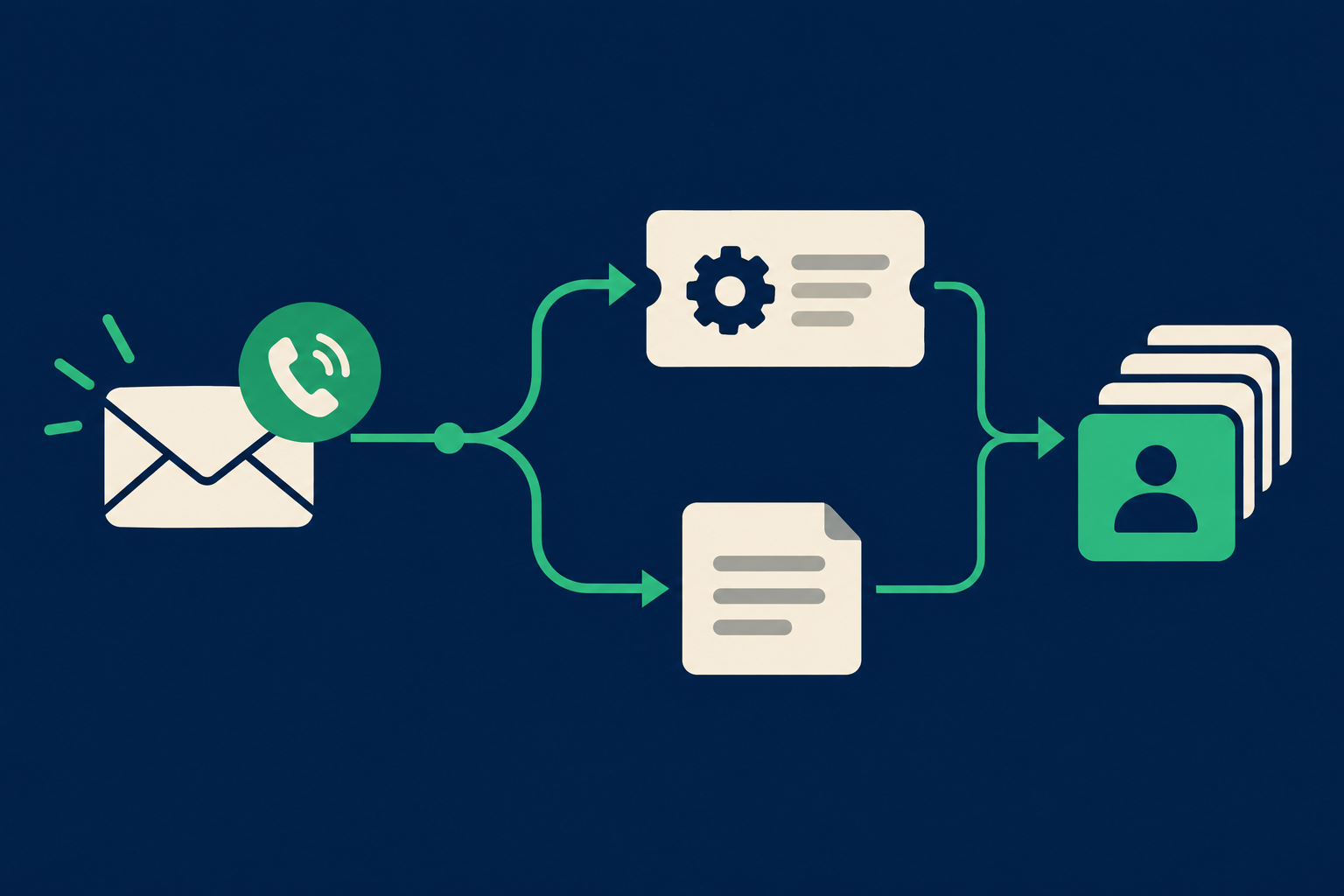
What can Voice AI actually do with Zoho CRM?
Short, practical answer first: Peak Demand’s Voice AI can read and write the Zoho CRM records your account and API scopes permit. That typically includes creating and updating leads and contacts, logging notes, creating tasks and cases, and routing records or tagging them.
Short answer: permitted read and write actions
When authorised, Voice AI can pull permitted context from Zoho CRM (for example, contact history or open cases) and perform permitted writes such as creating a lead, updating a contact field, adding a task or appending a note.
- Read contact/lead records for context during a call.
- Create leads or update existing contacts with caller-provided details.
- Create tasks, notes, or cases for follow-up and routing.
What’s conditional: scheduling and calendar writes
Zoho supports scheduling where a calendar or scheduling module is present and exposed by the account. Because Zoho CRM editions and customer configurations vary, Peak Demand treats appointment booking as conditional: we validate whether your Zoho instance exposes the calendar endpoint or a related scheduling module before automating bookings.
- Booking is feasible if your Zoho account exposes a calendar or scheduling module.
- If not, the system captures appointment intent and creates a task or ticket for an agent to schedule.
What happens when a caller wants to book, change or check something?
Booking and checking are common caller intents. Below are realistic behaviours you can expect when Peak Demand’s Voice AI is connected to Zoho CRM.
Check an appointment or case status
Caller: “Do I have an appointment on Thursday? ” What the agent needs: caller identity (phone or contact match) and the relevant module/calendar data. Permitted system action: read the contact and calendar records exposed to the API; return dates/times and brief status.
- Voice AI uses available record dates and activity entries for read-only checks.
- If schedule writing isn’t supported, the agent creates a follow-up task and offers a human callback.
Book or change an appointment (conditional)
Caller: “I’d like to reschedule my consultation to next Monday.” What the agent needs: the account’s permission to write calendar/appointment records and available timeslots. Permitted system action: when calendar or scheduling endpoints are exposed, Voice AI can propose available slots, create or update the appointment, and write the corresponding CRM activity. When the Zoho instance does not expose scheduling, the agent captures preferred times, creates a task or draft appointment record, and flags a human scheduler. Confirmation to caller: “I’ve moved your booking to Monday at 2:00 PM and sent a confirmation to your email/phone.” Or: “I’ve recorded your preferred time and a human scheduler will follow up within X business hours.”
- Always confirm what was actually written to CRM and what remains a human action.
- For multi-party or paid bookings, plan to escalate to a human.
What can the agent update or route?
Operators want to know which record types Voice AI can safely touch and how routing works.
Leads, contacts and basic profile updates
Use case: updating phone, address, or capturing a new lead through an inbound call. Permitted system action: create a lead or update a contact record with caller-provided fields that match your CRM schema. Peak Demand’s workflows validate field-level permissions before any write and only map allowed fields to avoid unintended data writes. Confirmation to caller: “I’ve added that phone number to your profile and created a lead for our sales team.”
- Voice AI can merge on matched fields or create a duplicate-safe lead depending on your deduplication rules.
- Peak Demand enforces field mapping and prevents writes to restricted fields.
Tasks, notes and case/ticket creation
Use case: an after-hours caller reports a problem or requests follow-up. Permitted system action: create a case (CRM Cases module), open a task assigned to a queue or user, and append a time-stamped note summarizing the call. These items become the basis for human follow-up and SLA tracking. Confirmation to caller: “I’ve opened a support case and a specialist will reach out within your normal service window.”
- Cases and tasks are a safe way to hand off unresolved items to human teams.
- Voice AI can apply routing rules (tagging, assigning owner) based on caller answers and CRM fields.
Real caller-to-workflow examples
Concrete examples show what callers hear, what the system does in Zoho CRM, and when a human should step in.
Example 1 — New lead capture during a sales call
Caller: “I’d like information about your consulting services.” Agent steps: - Voice AI collects name, company, phone, email and a short note on services of interest. - The system checks Zoho for an existing contact by phone or email. - If none found, it creates a lead record and tags source=phone. If a duplicate exists, it appends a note and updates fields allowed by policy. - A follow-up task is created and assigned to the sales queue. Caller confirmation: “Thanks — I’ve created a lead and a sales representative will contact you within one business day.” Human takeover: the sales rep handles proposals and pricing.
- This flow is entirely automatable via Zoho’s create/update endpoints when API scopes permit.
- Peak Demand prevents overwriting sensitive fields and logs the interaction for audit.
Example 2 — Support intake with routing
Caller: “Our client portal is down; we need help. ” Agent steps: - Voice AI identifies the customer by number, checks open cases, and asks clarifying questions (impact, urgency). - Creates a case in Zoho with severity and a summary, attaches the call transcript or note, and routes to the on-call queue. - If the issue is urgent by policy, the system triggers a webhook to an incident-management workflow or notifies on-call staff. Caller confirmation: “I’ve opened an urgent support case and the on-call team has been notified.
- Webhooks are useful for pushing events out of Zoho to your incident tooling.
- Peak Demand logs the transcript and stores a reference in the CRM case for audit.
When should a human take over?
Voice AI is powerful for routine operations but there are clear boundaries where human oversight is required.
Complex, legal, financial, or consent-sensitive tasks
Examples: contract negotiations, refunds, payments, or any request requiring explicit legal consent. Peak Demand’s workflows escalate these to humans automatically.
- If a caller requests a refund or provides sensitive data, hand off to a human.
- Payment capture should not be handled by Voice AI unless you have a validated, compliant payment flow integrated and authorised.
When data is ambiguous or high risk
If the system cannot confidently match identity or if caller responses conflict with CRM records, Voice AI creates a ticket and asks, “Would you like a human to review this now?” This prevents incorrect writebacks.
- Use confidence thresholds for automated writes; below threshold, escalate.
- Track handoffs in CRM so humans have the call transcript and suggested actions.
Implementation reality: API, permissions, AWS middleware and MCP
A short, practical explanation of how the pieces fit together and what to validate before you pilot.
Authentication, scopes, limits and webhooks
Zoho CRM exposes a REST API secured by OAuth 2. 0. The API supports read and write operations across modules you have access to, and it also supports webhooks for event-driven workflows.
- Confirm OAuth 2.0 credentials, allowed scopes and admin consent before integration.
- Validate which modules (Calendar, Activities, Cases, Custom Modules) are available for your Zoho edition.
Peak Demand AWS middleware and MCP role
Peak Demand places an AWS middleware layer between the voice agent and Zoho CRM. This layer handles token management, request validation, field-level permission enforcement, retry logic, and audit logs. We use a Model Context Protocol (MCP) pattern to supply the voice model with the minimal, permitted CRM context needed to respond — and no more — which reduces privacy exposure and improves decision accuracy.
- Middleware handles retries and safe fallbacks when API calls fail.
- MCP provides bounded CRM context to the voice model; it does not replace your API controls.
Related Peak Demand resources
Industry and AI sources reviewed
Privacy, cybersecurity, contractual, records, and sector-specific obligations vary by jurisdiction and connected system. This article is operational guidance, not legal advice; organizations should confirm applicable requirements with qualified professionals.
Frequently asked questions
Yes — when you grant the appropriate API scopes, Zoho’s REST API supports creating and updating records (leads, contacts, tasks, notes, cases) and Peak Demand can automate those actions. Field-level writes are controlled by the API scope and our middleware, which enforces your configured write permissions.
Official reference: Zoho CRM official API/developer source
Possibly — booking is conditional. Zoho CRM can support activities and calendar entries, but availability depends on your account’s modules, edition and whether you expose a calendar or scheduling module via the API.
Official reference: Zoho CRM official API/developer source
Zoho CRM uses OAuth 2.0 for authentication; integrations require admin consent for specific scopes. Peak Demand’s deployment requests the minimal scopes needed and uses AWS middleware to manage tokens and enforce field-level permission rules.
Official reference: Zoho CRM official API/developer source
Yes — Zoho’s API allows adding notes or file attachments to records. Peak Demand can append transcripts or links to recordings to the corresponding CRM record, subject to your data retention and consent policies.
Official reference: Zoho CRM official API/developer source
Zoho applies rate limits and feature differences by edition. During implementation, Peak Demand reviews your API quotas and feature availability and configures throttling and fallbacks accordingly. Confirm edition-specific module availability (Calendar/Activities, Cases, Custom Modules) during scoping.
Official reference: Zoho CRM official API/developer source
Engineer the integration layer before scaling Voice AI
Peak Demand designs the APIs, logic bridges, validation, fallback, observability, and human-escalation infrastructure required for dependable Voice AI operations.
Schedule a discovery call


