
A practical, operator-focused guide showing what Peak Demand’s Voice AI can and cannot do with ServiceM8: booking, rescheduling, intake, routing, confirmations and when to hand off to a human.
Plain-English answer: What can Voice AI actually do with ServiceM8?
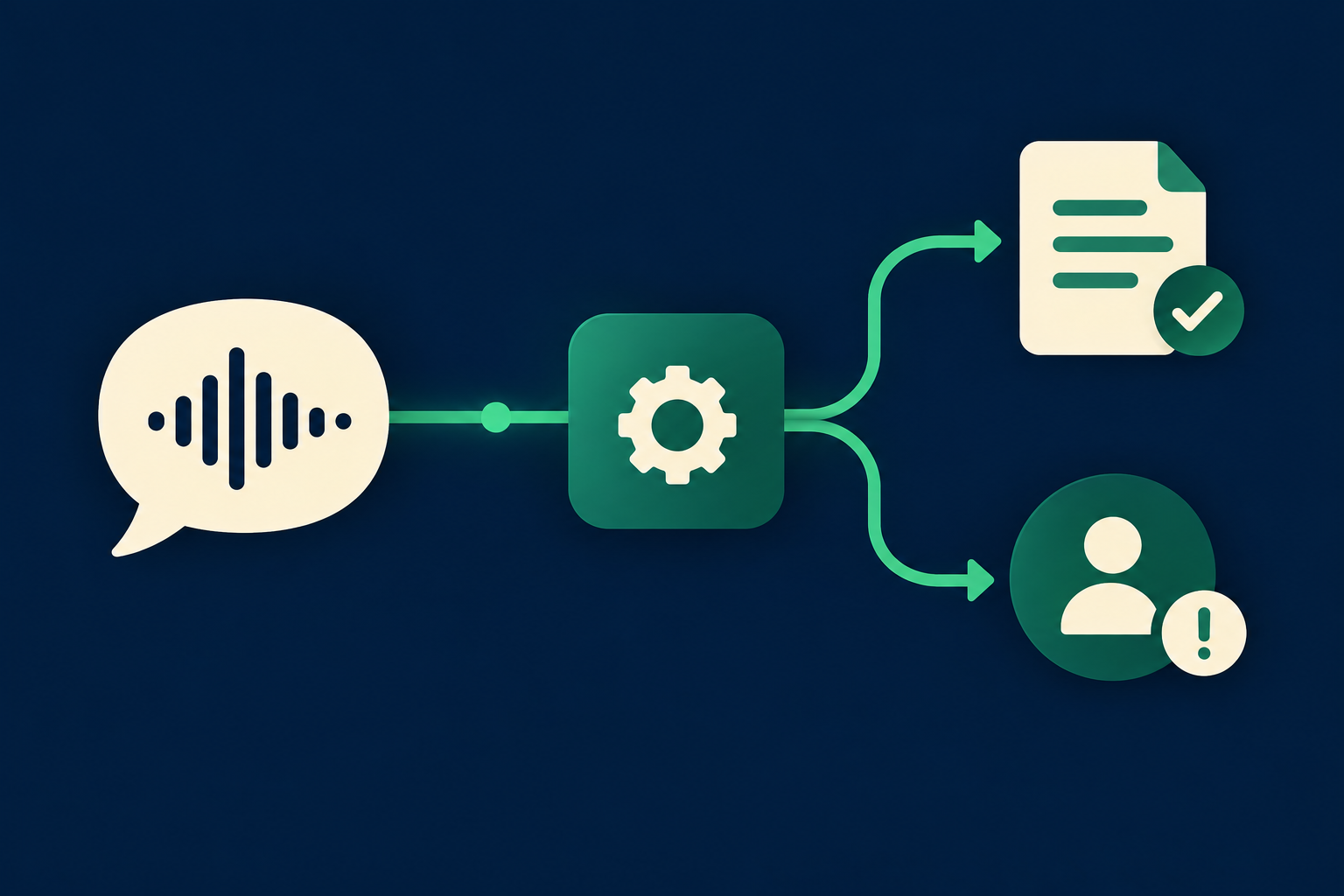
Short answer: It can act like a live receptionist that understands caller intent, looks up permitted job and client details from ServiceM8, and performs supported actions such as creating or updating jobs, scheduling or rescheduling visits, adding notes and sending confirmations — provided the ServiceM8 account has granted the right API permissions.
A realistic scope
Expect the Voice AI to: identify the caller, confirm address or job location, create a service request or job, check technician availability and create or update scheduling slots, add job notes, and trigger email/SMS confirmations.
- Read client and job details from ServiceM8; show or use only fields allowed by your app authorization.
- Create or update jobs and schedule work when the account allows write/scheduling API access.
- Record the conversation and attach a summary or note to the job for audit and handoff.
Where Peak Demand adds operational value
We don’t just ‘connect’ voice to the CRM. Peak Demand’s AWS middleware handles authentication, request validation, retry/backoff, audit logs and business-rule checks before any write goes to ServiceM8. That preserves operational safety while returning caller confirmations in natural language.
- Prevent invalid writes by validating addresses, times and technician availability before committing.
- Enforce who can book what (e.g., after-hours policy, flat-rate vs on-site estimate).
- Provide clear confirmation scripts and recording for dispute resolution.
What happens when a caller wants to book, change or check something?
Booking and rescheduling are the most common use cases for field service. Below are caller-to-workflow examples you can expect in the real world.
Caller: 'Can you book a plumber to fix my leaking tap tomorrow morning?'
What the agent needs: caller identity, address, preferred time window, basic service type, any access or safety notes. What Peak Demand does: verifies caller against ServiceM8 client records (or creates a new client), checks technician availability for the requested window via the ServiceM8 scheduling endpoints, creates a job with the right service category and preferred time, and adds a job note with the caller’s details. Caller confirmation: ‘All set — we’ve booked Sam on Tuesday 9–11am; you’ll get an SMS and email confirmation. Is that okay?’ If availability is tight, the agent offers alternatives and records the chosen option.
- Read client and diary availability using read permissions.
- Write a new job and a scheduled visit only if the OAuth scope allows scheduling writes.
- Send confirmation and attach the call transcript as a job note.
Caller: 'I need to move my service from Wednesday to Friday.'
What the agent needs: verify identity, job ID or address, current appointment data. What Peak Demand does: looks up the job, checks open slots, updates the job scheduling record to the new slot if permitted, and triggers an email/SMS change notice. Caller confirmation: ‘Your appointment is now Friday 2–4pm and I’ve sent a confirmation. Do you want the technician to call on arrival?
- Rescheduling uses ServiceM8 scheduling APIs when account permissions allow.
- If the change violates business rules (e.g., mandatory parts not on truck), the agent flags the job and hands off.
What can the agent update or route?
Beyond booking, Voice AI can perform routine record updates and route issues so your team stays efficient.
Common updates the agent can make
Add or update client contact details, job notes, appointment times, simple service categories, and basic access instructions. For example: a caller updates gate codes, adds pet-safety notes or confirms parking information — the agent updates the job ‘notes’ field and confirms to the caller.
- Notes and metadata updates are low risk and often permitted by API write scopes.
- Client phone and address updates are possible but should include validation steps (verify last four digits, repeat-back confirmation).
Routing and escalation
If the caller raises queries that require a human — complex estimates, dispute over pricing, safety risks, or repeated ambiguous responses — the agent captures the key facts, creates a high-priority job or task in ServiceM8, attaches the call summary, notifies the right dispatcher or manager, and offers the caller an immediate transfer to a human.
- Routing decisions are driven by business rules in Peak Demand’s middleware and use ServiceM8 to create tasks or job alerts.
- Webhooks from ServiceM8 can also notify Peak Demand systems for two-way observability and event-driven workflows.
When should a human take over?
Voice AI should reduce routine work, not replace expert judgement. These are clear human-takeover triggers.
Pricing, estimates and scope ambiguity
If a call requires a bespoke quote, complex materials assessment, or guarantees about pricing, route immediately to a trained estimator or dispatcher. The agent captures the request and the lead data, creates an estimate job in ServiceM8 (or flags for follow-up) and presents the option to schedule an in-person estimate.
- Use Voice AI to convert quote calls into scheduled estimate visits, but not to authorize custom pricing without a human.
Safety, legal or compliance concerns
If the caller reports gas leaks, electrical hazards, injury or other safety-critical problems, the agent must escalate to a human operator trained for emergency protocols and follow local jurisdiction rules. Peak Demand’s solutions include explicit escalation flows and spoken guidance to callers (e.g., advise evacuation or contacting emergency services) but do not provide clinical or legal advice.
- Design escalation scripts and ‘must-transfer’ thresholds into the middleware.
- Confirm recording and consent flows before capturing sensitive details.
Implementation reality: API, permissions, AWS middleware, security and failure handling
Operators need to know what is actually available and what must be validated during procurement and deployment.
What the ServiceM8 developer docs confirm
ServiceM8 exposes a documented developer API with REST/OAuth2 authentication. The API supports read and write operations, scheduling and job management, and can send event notifications via webhooks. That means a properly authorised third-party app can read client and job records, create or update jobs and scheduling entries, and receive real-time events for job changes. App authorisation and account permissions control which scopes are available.
- Authentication: REST with OAuth 2.0.
- Capabilities: read yes; write yes; scheduling yes (jobs/scheduling); webhooks yes.
Where Peak Demand’s AWS middleware fits
Peak Demand places an AWS-based middleware layer between the voice agent and ServiceM8. Responsibilities include: managing OAuth tokens securely, enforcing business rules and scope checks, validating inputs (addresses, time windows), retry and backoff logic on API failures, logging and audit trails, and triggering escalation workflows if a write fails or is not permitted. This reduces risk and provides a single control point for governance.
- Middleware rejects writes that fail validation and offers the caller fallbacks or a human handoff.
- All API calls and interactions are logged for dispute resolution and QA.
Practical deployment checklist for operators
Before switching on Voice AI integration with ServiceM8, validate these items.
Permissions and scopes
Confirm which OAuth scopes the integration will request and match them to business needs: read-only for monitoring; read+write for booking and notes; scheduling scopes for creating or moving appointments.
- Test in a non-production ServiceM8 account with the same permission model.
- Document who can revoke app access and how to rotate credentials.
Script rules and human handoff
Define the exact wording for confirmations, escalation thresholds, and how handoffs occur (warm transfer, scheduled callback, SMS handoff). Ensure dispatchers have the job note and call transcript visible when they take over.
- Put clear policies around who may approve special pricing or emergency work.
- Include an audit trail entry with every voice-to-CRM action.
Related Peak Demand resources
Industry and AI sources reviewed
- ServiceM8 official API/developer sourceServiceM8
- ServiceM8 official websiteServiceM8
Privacy, cybersecurity, contractual, records, and sector-specific obligations vary by jurisdiction and connected system. This article is operational guidance, not legal advice; organizations should confirm applicable requirements with qualified professionals.
Frequently asked questions
Yes — when the ServiceM8 account has granted the required OAuth scopes and scheduling permissions to the Peak Demand integration, the Voice AI can create jobs and schedule visits. Peak Demand’s middleware validates the request, checks availability and writes the scheduled job. Always test in a non-production ServiceM8 account and confirm the exact scopes requested before go-live.
Official reference: ServiceM8 official API/developer source
Payment and sensitive financial fields are governed by account permissions and what the ServiceM8 API exposes to third-party apps. Peak Demand recommends treating payment updates as high-risk: capture the caller intent and route payment or card updates to a secure human process unless the ServiceM8 account explicitly permits tokenised updates via API.
Peak Demand records the call, creates a concise call-summary note and attaches it to the relevant ServiceM8 job. The middleware logs the exact API calls, timestamps, and the OAuth actor. These records are available for QA and dispute handling, subject to your retention and consent policies.
Peak Demand’s middleware detects rejection responses, informs the caller in plain language, tries a short set of fallbacks (alternate slots, partial updates), and if unresolved, escalates immediately to a human with the rejection reason and call summary. Configure retry and escalation policies during implementation.
Official reference: ServiceM8 official API/developer source
Voice AI needs the ServiceM8 account owner to authorise a third-party app and grant the API scopes required. Whether additional paid features or plan levels are necessary depends on the specific endpoints you want to use (scheduling, webhooks, etc.) — review ServiceM8’s developer documentation and your account plan during procurement.
Official reference: ServiceM8 official API/developer source · ServiceM8 official website
Engineer the integration layer before scaling Voice AI
Peak Demand designs the APIs, logic bridges, validation, fallback, observability, and human-escalation infrastructure required for dependable Voice AI operations.
Schedule a discovery call


