
Short answer: Voice AI can handle many guest calls tied to reservations and guest records when integrated with OpenTable’s partner-gated APIs — but only for supported and approved actions. This guide gives caller-to-workflow examples operators can evaluate, shows where human staff must step in, and explains the realistic integration and security boundaries.
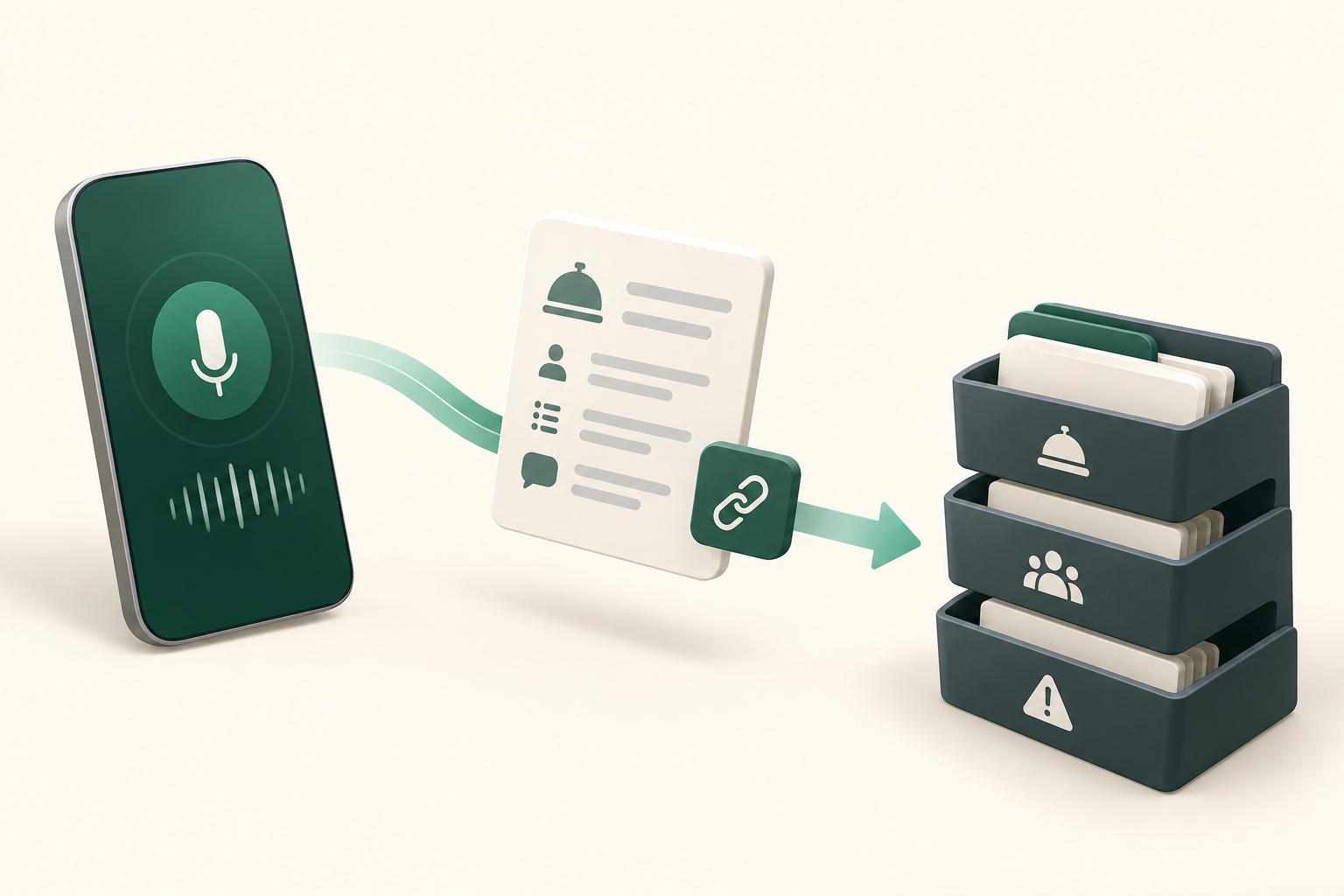
Plain English: What can Voice AI actually do with OpenTable?
Short answer first: a Voice AI agent can handle common phone tasks tied to reservations and guest records when integrated with OpenTable — searching availability, creating or updating reservations, reading permitted CRM fields, and triggering follow-up tasks — but only for supported API actions and only once your account has partner-approved access.
Typical caller outcomes Voice AI can deliver
A caller asks, the agent verifies identity, the agent checks OpenTable for availability or an existing booking, and — if the API and permissions allow — the agent can create or modify a reservation or post a note to the guest record. The caller gets a clear spoken confirmation and an email or SMS confirmation when configured.
- Search and view available time slots for a date and party size
- Create a new reservation (when reservation write scope is permitted)
- Modify or cancel existing reservations and add notes to guest records (when write scope allowed)
- Send confirmation details to guests and create staff tasks or tickets for follow-up
What Voice AI won’t do on its own
Voice agents should not act outside documented API capabilities or operator policy. They should not take payments, change credit-card authorisations, give clinical or legal advice, or attempt identity verification methods that violate privacy rules.
- Payments and card-on-file changes (validate via policy; confirm with your payment provider)
- Complex group or event contracting unless the integration specifically supports group-sales flows
- Unclear or contradictory guest requests without human validation
What happens when a caller wants to book, change or check something?
Below are compact caller-to-workflow examples operators can use to model prompts, required data checks, allowed system actions, confirmations, and triggers for a human takeover.
New booking: caller asks “Can I book a table for Friday at 7?”
What the caller says: date, time, party size, sometimes seating preference. What the agent needs: availability for that date/time/party, restaurant policies (deposit, max party size), and optional guest contact details for confirmation.
- Agent prompts for date, time, party size and contact phone/email
- Verify availability via OpenTable; if available, create reservation and read back confirmation code
- If the API returns a conflict or requires manager approval, route to staff
Modify or cancel: caller says “Move my 6pm booking to 8pm”
What the caller says: identity (name, phone), original reservation details, new desired time. What the agent needs: locate the existing reservation, check new-slot availability, and confirm any change policies (cut-off times, no-shows).
- Authenticate caller with low-friction checks (name + phone or confirmation code)
- Update reservation if the API permits writes; otherwise create a staff ticket and confirm manual follow-up
- Always state cancellation/change policy out loud before finishing the action
What can the agent update, route or escalate?
Think in three buckets: simple automated actions, CRM/logging actions, and routing/escalation. Design your voice rules so the agent only performs safe, permitted updates and always confirms an action audibly.
Safe automated changes (good for caller convenience)
These are routine, low-risk updates that OpenTable partner APIs commonly support: changing time/party size, cancellations, and adding a contact phone/email. Use these to reduce staff load but enforce business rules (max size, cut-off windows).
- Time and party-size changes within policy
- Cancellations and no-show flagging as permitted
- Attach simple guest notes like “high chair requested”
CRM updates and tasks (create after-call work)
Where the API gives CRM or guest-record access, the agent can append notes, update contact fields, and create internal tasks or tickets for follow-up (for example, a catering lead or a VIP request). Keep a clear audit trail: every change should be logged with agent identity and time. If the integration supports webhooks, staff dashboards can receive near-real-time updates.
- Append structured notes to guest records
- Create a staff task or follow-up ticket after ambiguous requests
- Trigger webhooks to notify the POS or manager dashboard
When should a human take over?
Human takeover is a normal part of a safe Voice AI deployment. Plan for predictable handoffs so staff know which calls need attention and receive the right context immediately.
Clear human triggers
Examples where the agent must escalate: unclear identity or multiple matching reservations, group and private-event inquiries, payment disputes, or special medical/dietary advice requests. In those cases the agent should secure the caller’s consent to transfer, provide a brief summary to staff, and keep the caller informed about hold times.
- Ambiguous reservation matches or identity uncertainty
- Group bookings or event contract negotiation
- Requests involving payments or legal claims
Hand-off mechanics
When escalating, the agent sends staff a short summary: caller name, phone, reservation ID, the action attempted, and a one-line suggested next step. Peak Demand’s model emphasises handing over the full machine-readable context plus a transcript snippet so the human can pick up immediately. Always notify the caller of the handoff and expected wait or callback timeframe.
- Send machine-readable context and short transcript to host staff
- Auto-create a ticket with priority and ETA when delayed transfer is probable
- Confirm transfer verbally with the caller
Implementation reality: API access, permissions, security and failure handling
This section explains the practical constraints to validate during procurement and build. It’s essential reading before you assume write access is automatic.
What the OpenTable APIs actually provide (and how access is granted)
OpenTable exposes reservation and CRM APIs and supports webhooks, but these endpoints are partner-gated: production access requires OpenTable approval, partnership onboarding, or an approved integration path. Where approved, the APIs support read and write for reservations and guest records and webhook notifications for booking events. Confirm the exact scopes you need with OpenTable and your integration partner before design work begins.
- Partner-gated API access — production requires vendor approval and correct scopes
- Reservation create/read/update and CRM read/write are supported when permitted
- Webhooks are available for partner integrations to receive event-driven updates
AWS middleware, security and audit controls
In practice, a secure deployment uses middleware (for example on AWS) between the voice layer and OpenTable. That layer handles authentication tokens, enforces business rules, validates data formats, retries transient failures, and produces auditable logs of every API action.
- Middleware mediates auth, retries, validation and scoped access
- Store only permitted fields and record consent for call recordings
- Implement retry and fallback flows: if API write fails, agent confirms and creates a staff ticket
Operational checklist and governance before you go live
A short, practical checklist to validate legal, operational, and staff-readiness items before deploying Voice AI with OpenTable.
Pre-launch must-haves
Get partner approval from OpenTable and confirm API scopes. Define identity checks, confirmation scripts, escalation paths, retention and recording consent policies, and staff training for handoff workflow. Conduct end-to-end acceptance tests that include API failures and ambiguous inputs.
- Confirm partner-gated API access and scopes with OpenTable
- Agree call recording and data retention policies and obtain consent prompts
- Train staff on reading AI summaries and resuming interrupted calls
Monitoring, QA and continuous improvement
Monitor booking success rates, false-match rates, and handoff frequency. Use call transcripts and structured notes to refine prompts and business rules. Keep a review cadence for security certificates, token rotation, subcontractor access, and a rollback plan should you need to suspend writes temporarily.
- Track automated-booking vs handoff rates
- Review AI call summaries and staff feedback weekly during ramp
- Rotate API credentials and audit middleware logs regularly
Related Peak Demand resources
Industry and AI sources reviewed
Privacy, cybersecurity, contractual, records, and sector-specific obligations vary by jurisdiction and connected system. This article is operational guidance, not legal advice; organizations should confirm applicable requirements with qualified professionals.
Frequently asked questions
Yes — but only if your OpenTable account and the integration partner have been granted the required write scopes. OpenTable offers partner-gated reservation APIs that support create/update/cancel operations when permissions are approved. Operators must confirm partner access and scope with OpenTable before relying on automated write actions.
Official reference: OpenTable official API/developer source
Voice AI can read permitted CRM or reservation fields when the integration has read scopes enabled. Always limit what the AI reads to the fields required for the call (for example, confirmation number, date/time, and contact phone) and design prompts that avoid exposing unnecessary personal data aloud. Confirm the exact fields accessible with OpenTable during integration planning.
Official reference: OpenTable official API/developer source
OpenTable partner APIs document reservation and CRM capabilities; payment and card-on-file workflows are typically handled by dedicated payment providers or POS integrations and may not be available via standard reservation APIs. Do not assume card updates can be performed by the voice agent without explicit integration and payment-provider approval. Validate payment scope separately.
Official reference: OpenTable official API/developer source
Design the agent to confirm success only after receiving a successful API response. If a write fails or returns partial success, the agent should tell the caller the action could not be completed and create an immediate staff ticket with the attempted change, API error, and call transcript. That ticket should be prioritised and linked to the guest record for quick resolution.
Official reference: OpenTable official API/developer source
Use low-friction checks that are appropriate for hospitality: confirmation number plus last name, or name plus the phone number on record. Avoid high-risk authentication unless required by policy. For ambiguous matches, the agent should offer to transfer to staff and create a ticket containing the candidate matches and caller details.
Official reference: OpenTable official API/developer source
Engineer the integration layer before scaling Voice AI
Peak Demand designs the APIs, logic bridges, validation, fallback, observability, and human-escalation infrastructure required for dependable Voice AI operations.
Schedule a discovery call


