What Can Voice AI Do with Intercom? Practical Workflow Examples
A plain-English guide for helpdesk buyers and operators: what caller-to-workflow actions Voice AI can realistically perform with Intercom, what needs human oversight, and how middleware, permissions and the Intercom API shape those outcomes.
What can Voice AI actually do with Intercom?
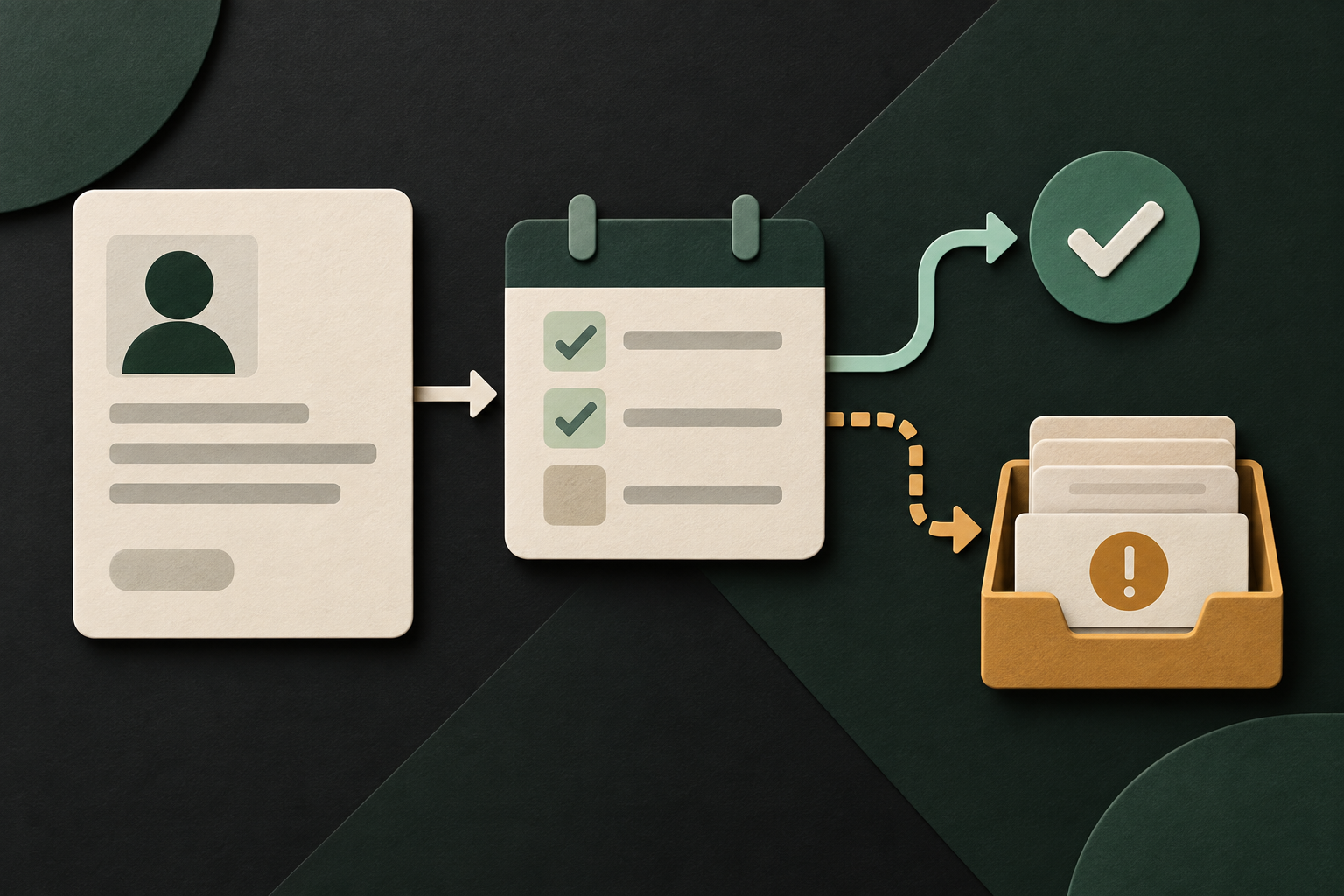
Short answer up front: Voice AI can act as an automated receptionist that looks up customers, captures caller intent, creates or updates Intercom conversations (tickets), adds notes, tags and assignments, and triggers follow-up workflows. Scheduling is possible but usually via an integrated calendar app rather than a guaranteed Intercom-native appointment endpoint. Workspace authorization, app scopes and API versioning control exactly what the voice agent can read and write.
Read, write and events the agent can use
Practically, a Voice AI connected to Intercom can fetch permitted customer context (user/contact records and conversation history) and create or append conversations, notes and tags where your app scopes permit.
- Read user/contact profile and recent conversations to get context for the caller’s question.
- Create or update a conversation (a ticket) to capture the caller’s issue.
- Add internal notes, tags or custom attributes to help routing and reporting.
- Assign conversations to teams or agents if the integration has assignment scope.
What the agent should not assume
Don’t assume the voice agent can do everything you do in the Intercom web UI. Actions are limited by the app’s workspace authorization and scopes. Some features—like meeting scheduling—are implemented through separate calendar integrations and must be validated in each deployment.
- Workspace-level permission and app scopes restrict read/write operations.
- Meeting booking is conditional and often handled via an integration rather than the core Intercom API.
- Auditability and logging should be planned from the start so every automated action is traceable.
What happens when a caller wants to book, change or check something?
Below are concrete caller-to-workflow examples you can test in a pilot. Each example lists what the caller asks, what the agent needs to retrieve or confirm from Intercom, the permitted system action, what the caller hears, and when a human should step in.
Caller asks: “Do I have an appointment tomorrow?”
This is a common check-status request. Many helpdesks integrate calendars with Intercom, but Intercom itself typically stores conversation and contact records rather than a universal bookings table. The voice workflow should validate whether calendar integration exists before promising booking details.
- Agent needs: caller identifier (name, phone number or email), confirmation of an active calendar integration or a booking custom attribute in Intercom.
- Permitted action: read user record and any booking-related custom fields or linked calendar entries (if the integration exposes them).
- Caller confirmation: “I found an entry on your account for [service] on [date/time]. Would you like me to resend details or speak to an.
- When to hand off: ambiguous matches, overlapping entries, or requests to change/cancel unless the integration supports secure write operations and the business accepts automated.
Caller asks: “Please change my delivery address”
Address changes may be stored as a custom attribute on the Intercom contact. If the voice integration has write scope for user attributes, it can update that field; otherwise, create a conversation and flag it for human processing.
- Agent needs: authentication (phone verification or security questions), the new address details, and confirmation that write access to user attributes is allowed.
- Permitted action: update user contact custom attributes (if granted) or create a conversation ticket capturing the requested change.
- Caller confirmation: “I’ve updated your address to [new address] and created a ticket for our staff to verify. You’ll get a confirmation message shortly.”
- When to hand off: if the change triggers fraud controls, requires identity proofing, or write permissions are not available.
What can the agent update or route?
Focus actions on contact-level updates, conversation creation, tagging and assignment—these are the operations Intercom’s API supports and where Voice AI provides clear value.
Safe, common write actions
These are the practical changes most helpdesks allow an automated agent to make with the right scopes and validation.
- Create or append to a conversation to capture the caller’s issue.
- Add internal notes so human agents see the voice transcript and verification steps.
- Attach tags or custom attributes to help routing and reporting.
- Assign the conversation to a team or admin to queue human follow-up.
Routing logic and confirmations
Voice AI should run simple business rules before writing: validate caller identity, check recent activity to avoid duplicate tickets, and confirm with the caller before changing records.
- Example confirmation: “I’ll tag this as ‘urgent-billing’ and assign to billing. Shall I proceed?”
- If the workspace scope doesn’t permit the write, the agent creates a conversation with a clear note that manual action is required.
- Record the caller’s consent and the agent’s validation steps in the conversation for audit.
When should a human take over?
Every automated flow must define clear handoff triggers. Voice AI is best at routine and well-scoped tasks; humans remain necessary for judgment, sensitive data and escalations.
Triggers that require immediate handoff
Design your voice script to escalate when safety, legal, or business policy concerns appear.
- Requests involving payments reversals, high-value refunds or charge disputes.
- Disclosures of sensitive personal or medical information that require a documented consent process.
- Conflicting information, ambiguous caller identity, or inability to verify the caller to the required assurance level.
When to queue for human review instead of immediate handoff
Some cases are best captured and queued: complex technical problems, policy exceptions, or requests requiring cross-team coordination.
- Create a detailed conversation and assign it to a specialist group.
- Include the voice transcript and verification steps so humans pick up with context.
- Notify the caller of expected response times and offer immediate transfer if they prefer.
Implementation reality: API access, permissions, middleware and failure handling
A clear, realistic picture of the integration points and constraints helps you design safe workflows. Intercom exposes a documented developer API and webhooks; successful Voice AI deployments use middleware to control authentication, validation and auditability.
What the Intercom API provides (practical summary)
Intercom’s developer surface supports REST authentication (OAuth or access tokens), reading and writing key workspace objects, and webhooks for event-driven triggers. Write actions (creating/updating conversations, users, tags, assignments) are possible but require explicit workspace authorization and the correct app scopes. Meeting scheduling is conditional and usually implemented through calendar integrations your workspace installs.
- Authentication: REST with OAuth/access tokens and app-level credentials.
- Read: user/contact profiles, conversations and related metadata (Yes).
- Write: create/update conversations, add notes, tags and assignments (Yes).
- Scheduling: conditional — meetings commonly handled by calendar integrations (validate per install).
- Webhooks: supported for incoming events and conversation lifecycle monitoring.
Why AWS middleware (or similar) matters
Use middleware to implement guardrails that the voice model alone can’t enforce: centralised auth, context filtering, permission checks, retries, rate-limit handling, and auditable logging. This is the layer that ensures the voice agent only performs permitted actions and that every action is recorded for QA.
- Validate workspace scopes before allowing writes.
- Sanitise and tokenise PII; store consent steps with timestamps.
- Retry logic and back-off for transient API failures; escalate persistent errors.
- Audit trail: store request/response pairs and model prompts for QA and dispute resolution.
Operational checklist and governance
Before you pilot Voice AI with Intercom, confirm these operational items. These are practical, non-technical checks you can run with your security, support and IT teams.
Pre-flight checks
Quick list to validate readiness.
- Confirm the Intercom workspace will grant the app the required scopes for reads/writes.
- Define identity verification steps the voice agent will use and record them in the conversation.
- Agree on handoff triggers, SLAs, and the required on-call rotation for escalations.
Monitoring, QA and recording
Operational observability keeps the system reliable and compliant.
- Log every automated write with linked conversation ID and timestamp.
- Use sample transcripts and human QA to tune prompts and accuracy.
- Document data residency and subprocessors; confirm retention and breach notification responsibilities with legal counsel.
Related Peak Demand resources
Industry and AI sources reviewed
Privacy, cybersecurity, contractual, records, and sector-specific obligations vary by jurisdiction and connected system. This article is operational guidance, not legal advice; organizations should confirm applicable requirements with qualified professionals.
Frequently asked questions
Yes — with the right workspace authorization and app scopes, the Intercom API supports creating and appending conversations. This is a standard approach: the voice agent captures the caller’s details and writes a conversation that human agents can pick up.
Official reference: Intercom official API/developer source
Scheduling is conditional. Intercom itself is primarily a messaging and conversation platform; calendar bookings are typically handled via integrations. A voice workflow can initiate a scheduling flow if your workspace has an installed calendar app or if booking information is stored as a custom attribute, but you must validate the specific integration and its permissions before automating booking or rescheduling.
Official reference: Intercom official API/developer source
Intercom uses REST authentication with OAuth or access tokens and enforces app scopes and workspace authorization. Your integration must request the precise read/write scopes needed for the workflows you enable. Limit scopes to the minimum necessary and manage tokens centrally in middleware.
Official reference: Intercom official API/developer source
Treat recordings and any personal data captured during calls under your existing privacy and retention policies. Use middleware to redact or tokenise sensitive fields, store consent steps inside the Intercom conversation, and check data residency and subprocessors with legal counsel. Jurisdictional obligations vary — confirm requirements with qualified advisors.
Handoff patterns vary: the voice agent can transfer the caller to a live agent, create and assign a conversation for an on‑call staffer, or queue a callback. Each method should include the context (transcript, verification steps, tags) so the human sees full history. Decide your preferred pattern in advance and ensure the integration has the necessary assignment and conversation scopes.
Official reference: Intercom official API/developer source
Engineer the integration layer before scaling Voice AI
Peak Demand designs the APIs, logic bridges, validation, fallback, observability, and human-escalation infrastructure required for dependable Voice AI operations.
Schedule a discovery call


